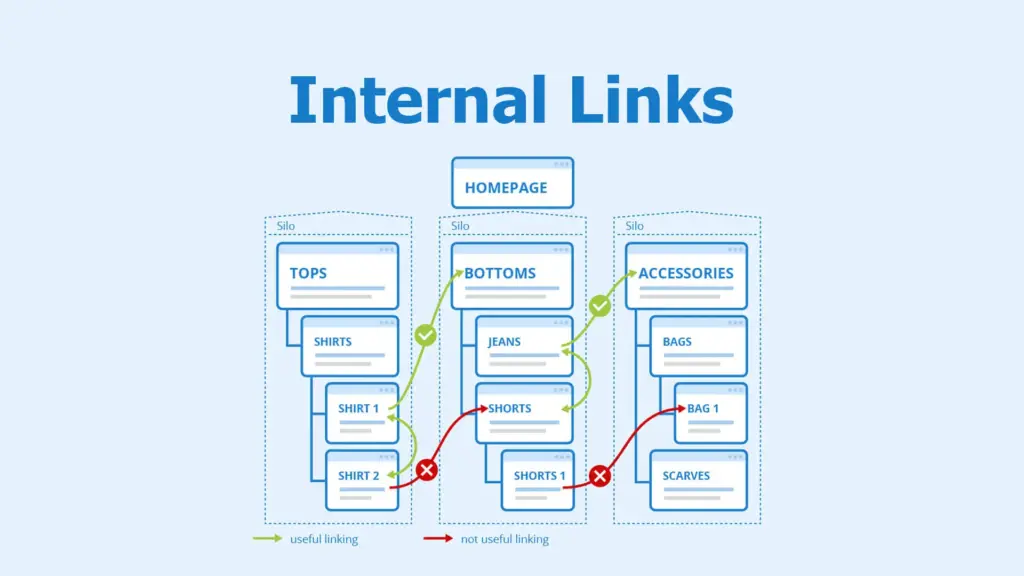
Internal linking refers to linking one page of your website to another page on the same site. A strong internal linking strategy helps search engines understand your content hierarchy and improves user navigation.
This beginner guide explains how to improve internal linking strategy to boost SEO and user engagement.
What Is Internal Linking?
Internal links connect pages within the same website and help distribute authority across your content.
Why Internal Linking Is Important for SEO
- Improves crawlability
- Passes link authority
- Strengthens topic relevance
- Encourages deeper user engagement
Best Practices to Improve Internal Linking Strategy
1. Link Related Content
Only link pages that are contextually relevant.
2. Use Descriptive Anchor Text
Anchor text should clearly describe the linked page.
3. Prioritize Important Pages
Link frequently to your most important pages.
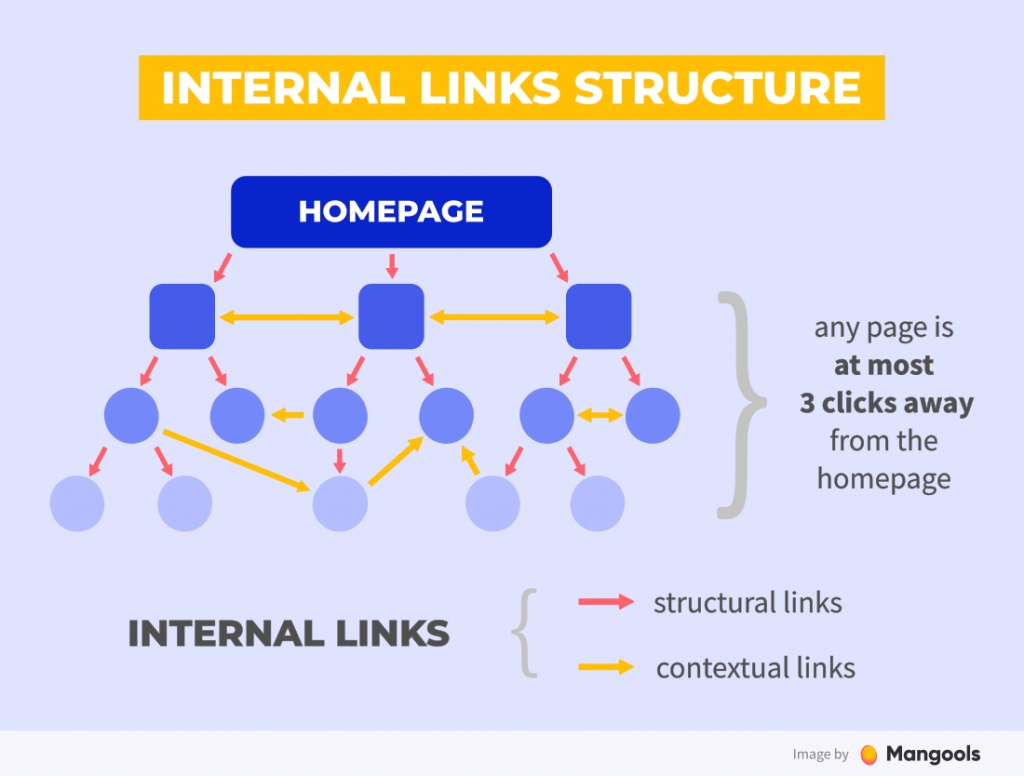
4. Add Links Naturally Within Content
Contextual links are more valuable than footer links.
5. Avoid Overlinking
Too many links can confuse users and dilute value.
6. Use a Logical Site Structure
Organize content into clear categories and silos.
7. Update Old Posts With New Links
Add links to new content from older articles.
8. Check for Broken Internal Links
Regularly audit and fix broken links.
9. Use Breadcrumbs When Possible
Breadcrumb navigation adds internal links naturally.
Common Internal Linking Mistakes
- Using generic anchor text
- Linking unrelated pages
- Ignoring older content
Final Thoughts
Internal linking is one of the easiest SEO improvements with long-term benefits. By linking content strategically, you help both users and search engines understand your website better.
Consistency and relevance are key to an effective internal linking strategy.