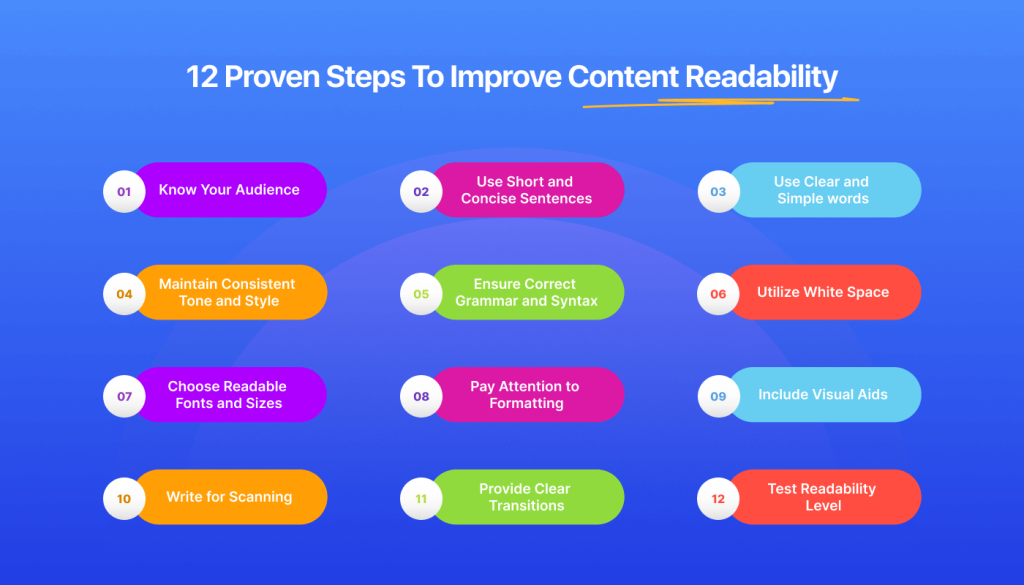
Website readability refers to how easy it is for visitors to read and understand your content. Even high-quality content can fail if it is difficult to read or poorly structured.
This beginner guide explains how to improve website readability using simple, effective techniques.
Why Website Readability Matters
Readable content improves user experience and helps visitors stay longer on your website.
- Reduces bounce rate
- Improves user engagement
- Supports SEO performance
- Increases conversions
Practical Ways to Improve Website Readability
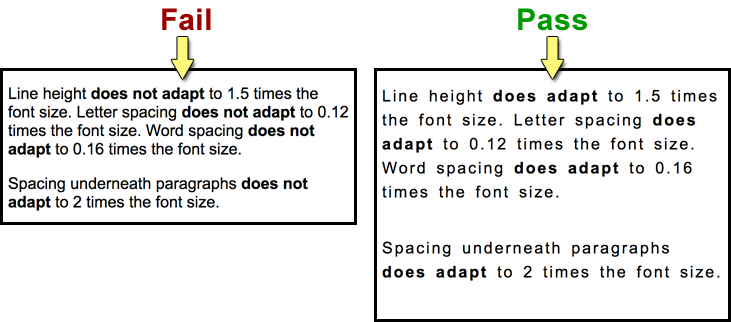
1. Use Short Paragraphs
Keep paragraphs between 2–3 lines to avoid overwhelming readers.
2. Choose Easy-to-Read Fonts
Select clean fonts that are readable on both desktop and mobile devices.
3. Improve Line Spacing
Adequate line spacing improves reading comfort.
4. Use Clear Headings and Subheadings
Headings help users scan content quickly.
5. Avoid Long Sentences
Shorter sentences improve comprehension.
6. Use Bullet Points and Lists
Lists make information easier to digest.
7. Maintain Good Color Contrast
Ensure text contrasts clearly with the background.
8. Optimize for Mobile Readability
Content should be readable on small screens.
9. Highlight Important Points
Use bold text sparingly to emphasize key ideas.
Common Readability Mistakes
- Large text blocks
- Poor font choices
- Low contrast text
- Overuse of technical language
Final Thoughts
Improving website readability makes your content more accessible and engaging. Simple formatting and layout changes can significantly enhance user experience.
Readable content keeps visitors engaged and encourages them to explore more pages.