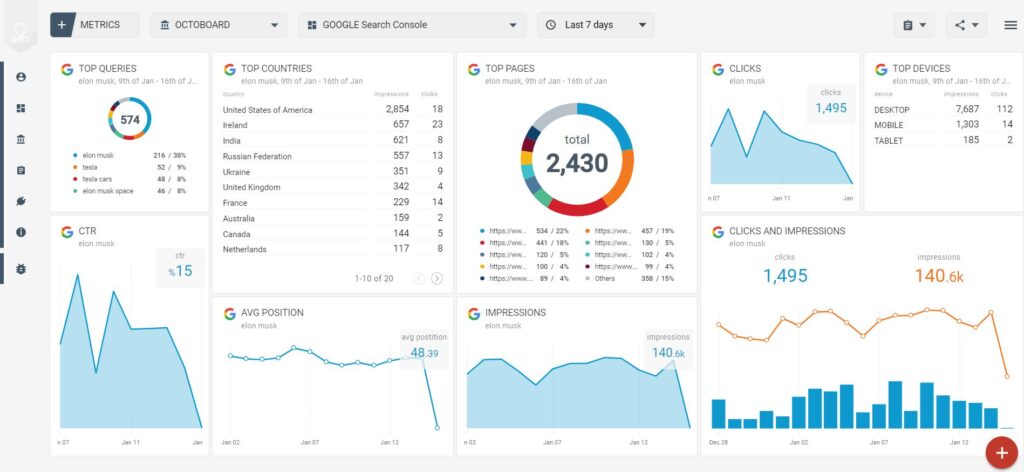
Google Search Console is a free tool that shows how your website appears in Google search results. It provides direct data from Google, making it one of the most reliable SEO analysis tools available.
This advanced guide explains how to use Google Search Console for deep SEO insights and smarter optimization decisions.
What Is Google Search Console?
Google Search Console (GSC) helps you monitor search performance, indexing status, and technical health of your website.
Why Google Search Console Is Critical for SEO
- Shows real search queries
- Reveals ranking and CTR data
- Identifies indexing problems
- Monitors page experience signals
Key Google Search Console Reports for SEO
1. Performance Report
Analyze clicks, impressions, CTR, and average position.
How to use it:
- Find high-impression, low-CTR pages
- Identify keywords ranking on page 2
- Discover content optimization opportunities
2. Pages Report
Shows which pages drive traffic and which are underperforming.
3. Queries Report
Reveals exact keywords users search before landing on your site.
4. Indexing (Pages) Report
Identifies indexed, excluded, and error pages.
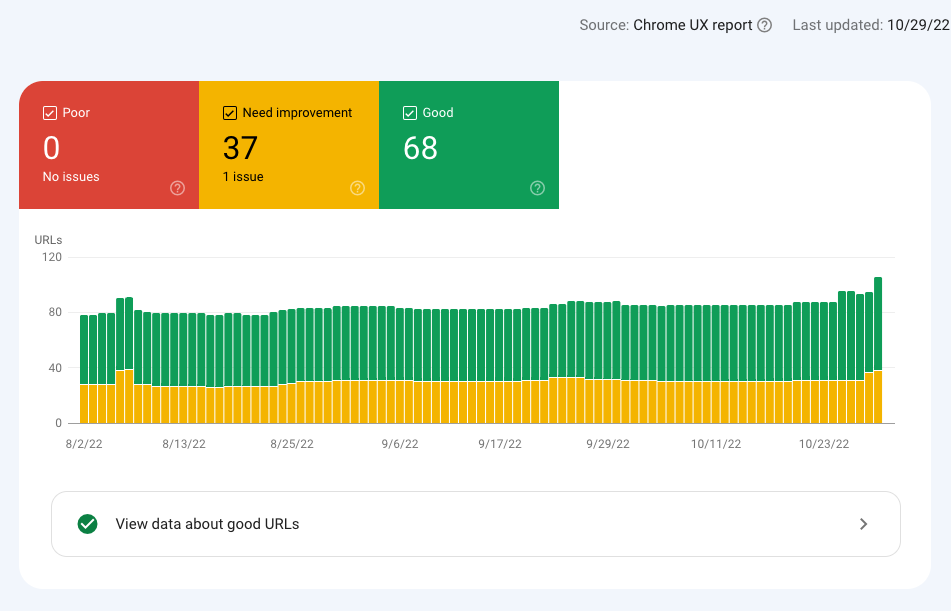
5. Core Web Vitals Report
Measures real-user page experience metrics.
6. Enhancements Reports
Tracks structured data and usability issues.
Advanced SEO Insights You Can Extract From GSC
Find Keyword Expansion Opportunities
Look for queries with impressions but few clicks.
Improve Click-Through Rate (CTR)
Optimize titles and meta descriptions for high-impression pages.
Identify Content Cannibalization
Spot multiple pages ranking for the same query.
Detect Index Bloat
Review excluded URLs and unnecessary indexed pages.
Monitor SEO Impact After Updates
Compare performance before and after site changes.
Common Google Search Console Mistakes
- Checking data daily instead of trends
- Ignoring excluded pages
- Not using filters properly
How Often Should You Review GSC?
- Weekly: Performance trends
- Monthly: Indexing and coverage
- After updates: Impact analysis
Final Thoughts
Google Search Console is not just a monitoring tool — it’s a decision-making engine for SEO. When used correctly, it guides content updates, technical fixes, and growth strategies.
Let real Google data guide your SEO actions.