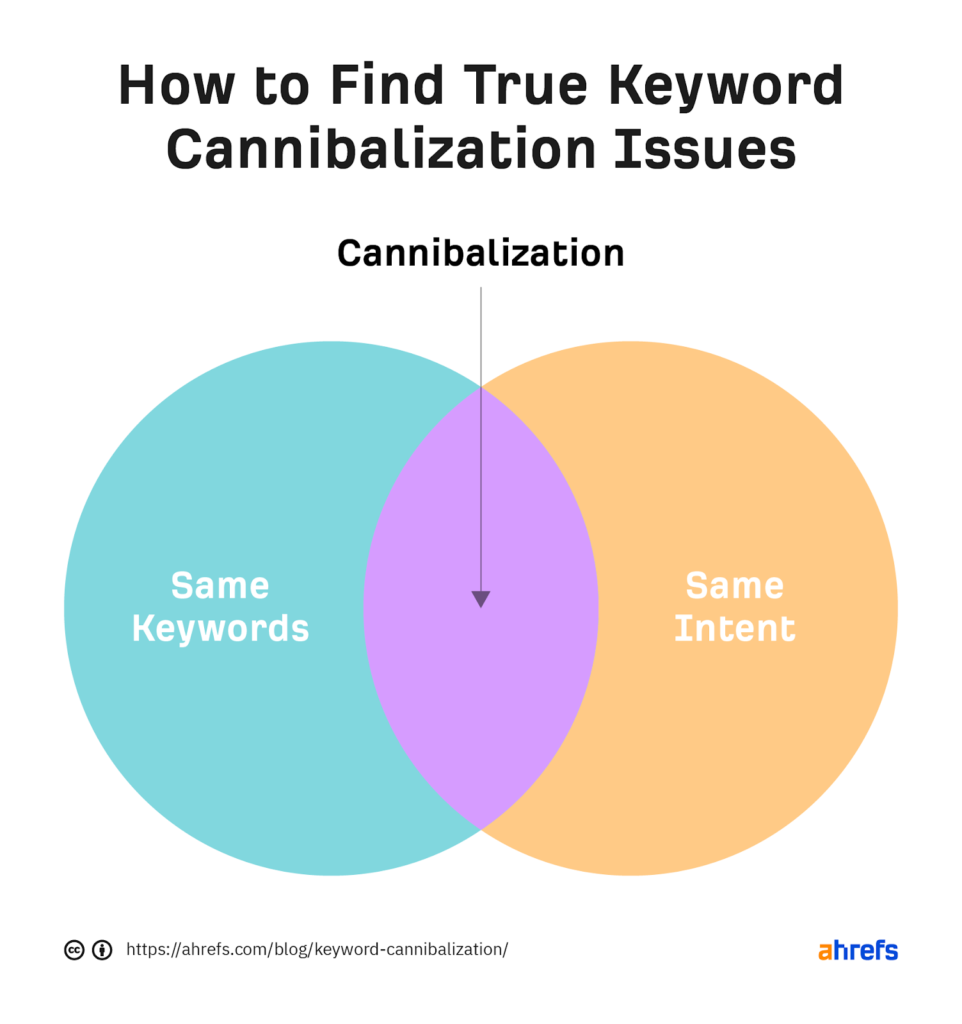
Keyword cannibalization occurs when multiple pages on the same website compete for the same keyword. Instead of helping rankings, this confusion can reduce visibility for all competing pages.
This beginner guide explains how to avoid keyword cannibalization and strengthen your SEO strategy.
What Is Keyword Cannibalization?
Keyword cannibalization happens when more than one page targets the same keyword or search intent.
Why Keyword Cannibalization Hurts SEO
- Confuses search engines
- Dilutes ranking authority
- Causes unstable rankings
- Reduces organic traffic
How to Identify and Fix Keyword Cannibalization
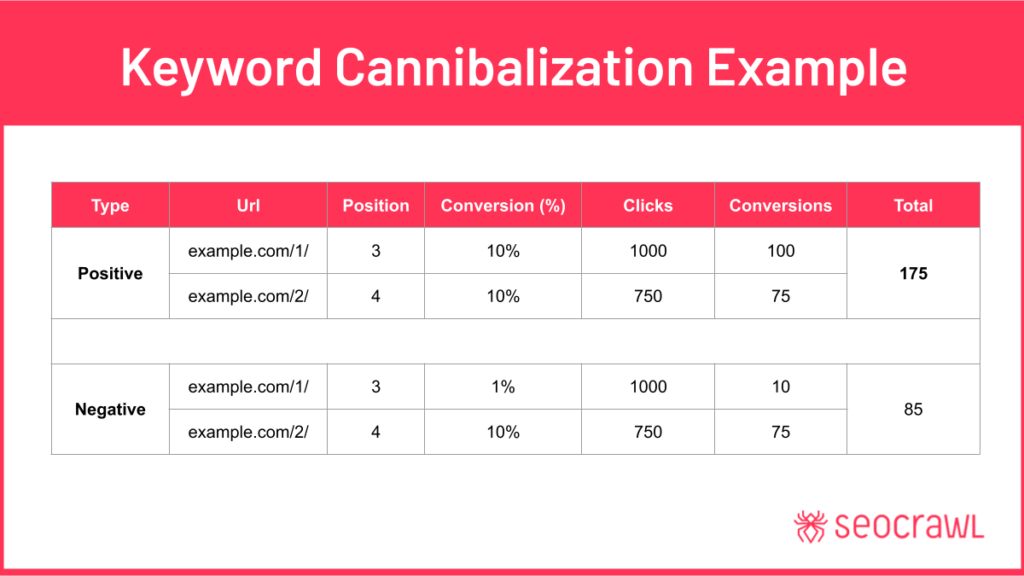
1. Identify Competing Pages
Check which pages rank for the same keyword.
2. Analyze Search Intent
Ensure each page serves a distinct user intent.
3. Merge Similar Content
Combine overlapping pages into one stronger article.
4. Use Canonical Tags
Canonical URLs help search engines choose the preferred page.
5. Optimize Internal Linking
Point internal links to the main authoritative page.
6. Adjust Page Titles and Keywords
Assign unique keyword targets to each page.
7. Update Content Structure
Use subtopics instead of separate competing posts.
8. Use Redirects When Necessary
Redirect outdated or weaker pages to the main page.
Common Keyword Cannibalization Causes
- Publishing similar blog posts
- Poor keyword planning
- Uncontrolled tag and category pages
How to Prevent Keyword Cannibalization
- Plan keywords before writing
- Maintain a content map
- Use clear internal linking
- Audit content regularly
Final Thoughts
Keyword cannibalization is a common but fixable SEO issue. By organizing content carefully and targeting unique keywords, you can improve rankings and traffic stability.
Clear content focus leads to stronger SEO performance.